2D radar controls
2D Radar
Turns the radar panel on. It is drawn as its own overlay, centred on you and turning with your view.
Player Markers
Infantry markers on the panel. They toggle separately from vehicle markers.
Vehicle Markers
Vehicle markers on the panel, distinct from player markers so convoys stand out.
Radar Range
How far from you the radar reads. Anything beyond the range gets no marker.
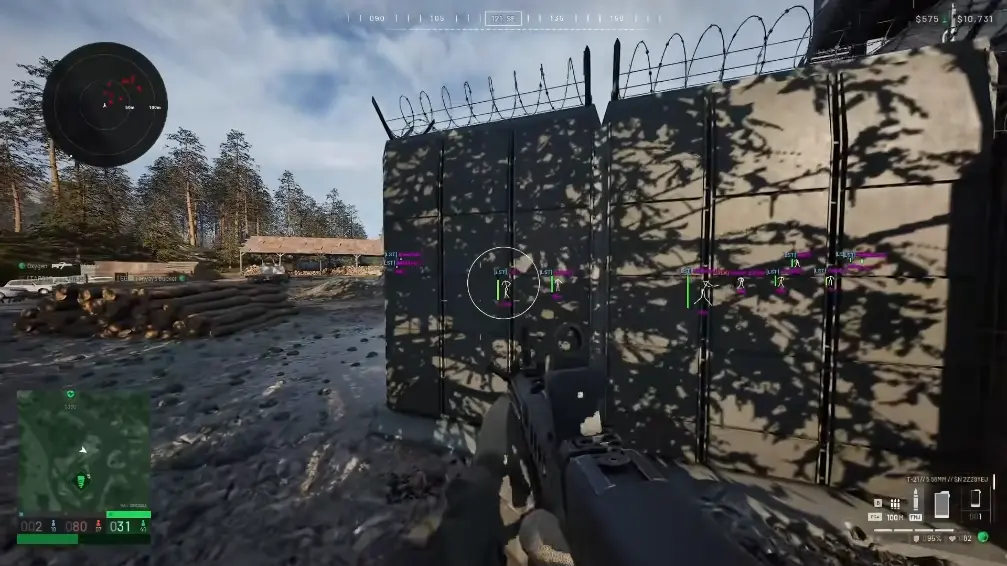
What the Wardogs radar is for
ESP is strongest on what is already in front of you. The radar covers the rest: behind you, beside you, on the far side of a building. A glance at the panel tells you a flank is coming before any label appears on screen.
Markers carry position only. A dot has no name, health, or weapon text. Once that player comes into view, player ESP takes over with the detail. The radar is part of the same streamproof overlay, so a stream or recording of the game does not show the panel.
Sizing the radar range
Range is the setting that makes the radar useful or useless. Too wide and the panel fills with markers you cannot tell apart. Too tight and it only shows players already close enough to be on screen. Start near the distance you usually fight at and adjust after a match.
Radar range and player ESP max distance are separate settings. Many people run the radar a little wider than ESP, so a marker appears first and a label follows as the player gets closer. Note both values once you settle on them. It saves adjusting the wrong one later.
Infantry only, or vehicles too
Because player and vehicle markers toggle independently, you can run an infantry-only radar on tight maps and add vehicle markers where convoys matter. A vehicle marker shows where a vehicle is. Its type, and whether it is crewed, come from vehicle ESP.
What the radar does not include
There is no full-map view, no loot or objective markers, and no player names on the panel. The published radar is four controls. A clip showing more than that is not this menu.
Works well with
Related reading
Wardogs 2D Radar questions
Does the Wardogs radar show the whole map?
No. It only shows dots inside the range you set, around your position.
Is the radar the same as player ESP?
No. ESP labels people on screen. The radar is a separate 2D panel with position dots only.
Can the radar show only players?
Yes. Player dots and vehicle dots are separate switches.
2D radar ships with the full menu
One license covers every module. Monthly is $35 for 31 days. Lifetime is $150.
Around the site
Status, checkout, and the guides that sit around this module.