
Account Recovery Workflows with UGC
Build template appeals and repeat dispute steps for restricted gaming, social, or marketplace profiles.

Focus
Appeal packet automation
Gaming, social, and marketplace limits each get repeatable dispute workflows instead of manual copy paste.
4 extra capability rows sit further down the page.
Overview
Cross-platform account appeal automation
Learn how UGC maps restrictions to templates, which steps run automatically, and why platforms keep veto power.
UGC (Unban & Governance Control) pairs custom appeal workflows with automated dispute handling for restricted gaming, social, and marketplace accounts.
Success depends on each platform reviewer, and hardware-linked bans are out of scope. Monthly ($35, 31 days) and Lifetime ($150) licenses unlock the same capability set.
Role of Unban & Governance Control
UGC (Unban & Governance Control) prepares appeals for limited gaming profiles, social handles, and marketplace storefronts. Build workflow templates once, then let the software resubmit dispute packets instead of copying the same message by hand.
Outcomes stay with reviewers
Platforms decide every case, and some penalties never expire. UGC arranges evidence and wording only; it does not rotate hardware IDs, so machine-level bans stay outside its scope.
What your PC needs
Run Windows 10 or 11 with HVCI, Core Isolation, TPM, and Secure Boot enabled before the first launch.
Modules
Automation included
Capabilities unlock as soon as your UGC license is active.
- Workflow-driven appeal packets
- Repeatable dispute automation
- Cross-platform account coverage
- Gaming profile appeals
- Social handle appeals
- Marketplace storefront appeals
- Monthly or lifetime licenses
- Windows 10 and 11
Access
Screens · Portal flow
Still frames on the left; license delivery and setup on the right.
Screenshots
- Layer A
Appeal control desk
Template library and automated dispute runners for limited profiles.
More products
Pairs well with
Other tools from the same store, each with its own page and checkout.
- Wardogs Cheats From $35 Aimbot, player ESP, item ESP, radar, no recoil, no spread, and menu-listed options for Wardogs on Windows. Monthly ($35, 31 days) and lifetime ($150) at checkout. View details
- HWID Spoofer From $50 Refreshes disk serials, MAC addresses, GPU IDs, and related fingerprints after a hardware flag, with trace cleanup in the same license. View details
- Skin Changer From $35 Small client that paints premium weapon skins, outfits, and knife variants on your screen across major titles. View details
FAQ
Questions about this page
Answers tied to what you are reading. Visit the FAQ page for every topic.
Blog
Related guides
Filter by topic to find setup guides, feature deep-dives, and patch-day notes.
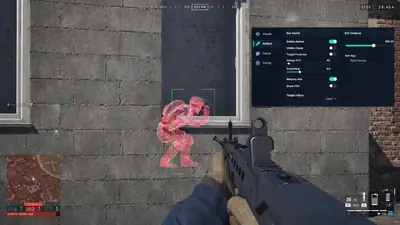
Thinking about buying Wardogs cheats? Here is a plain checklist of the features, support and warning signs that actually matter.
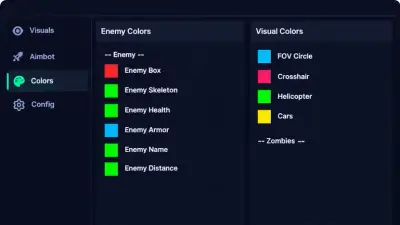
No cheat is risk free. Here is an honest overview of ban risk, what a streamproof overlay does, and habits that help.
Most cheat problems come from a short list of causes. Work through them in order before you contact support.
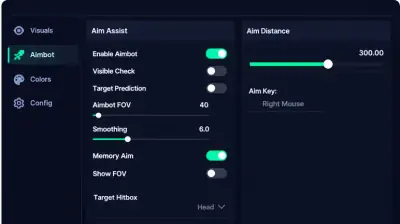
An HWID ban targets your hardware, not just your account. Here is what that means and where an HWID spoofer fits.
Good settings make a cheat feel natural. Here is how to approach aimbot, recoil and spread options, and how to save what works.
ESP and radar change how much you know about a match. Here is what each tool shows and how to get value from it.
Wardogs community forum
Read discussion
Archived, read-only threads on loader setup, ESP configs, patch status, and HWID bans. Replies are closed.
- Safety & Account Questions Can using WARDOGS cheats get your account banned? Considering third-party tools for WARDOGS? Discuss the official rules, possible account penalties, and why claims about being completely undetectable should be treated cautiously.
- Buying Advice What should you check before buying a WARDOGS cheat? A feature list alone doesn't tell you everything about a software purchase. Compare compatibility information, documented features, support terms, update policies, and account risks before making a decision.
- Safety & Account Questions Does an HWID spoofer actually remove a WARDOGS ban? An HWID spoofer is not the same thing as an account appeal. Discuss misleading ban-removal claims, official enforcement rules, and safer ways to address an account restriction.
- Help & Support WARDOGS cheat software stopped loading after an update. What information should support need? When software stops loading after an update, a useful support ticket should contain clear error details and version information. Don't assume the cause or disable security features to force software to run.